Handle sales, stock, and
staff without switching tools
Run your retail business with one system for sales, stock, and staff. Use POS and HR services on their own, or connect them as your business grows.
Free 14-day trial. No credit card required.

Sell your products and manage staff effortlessly
MasbyOne connects your sales, stock, and staff in one system. When you make a sale, your stock updates. When a shift ends, attendance is logged. When payday comes, the numbers are already there.

MasbyOne POS
Sales & Customer Ordering
Offline-first sales, public product exposure, Group Buy, pickup orders, and real-time inventory.

MasbyOne HR
Staff & Payroll
Automated tax compliance, shift scheduling, and digital staff records.
MasbyOne Connect
Turn every transaction into a connection.
MasbyOne Connect turns your business into a digital destination. From live menu discovery to collaborative Group Buys, we move the point of sale to the point of desire, capturing revenue long before customers walk through your door.



The Sync Layer
One account, synced by default.
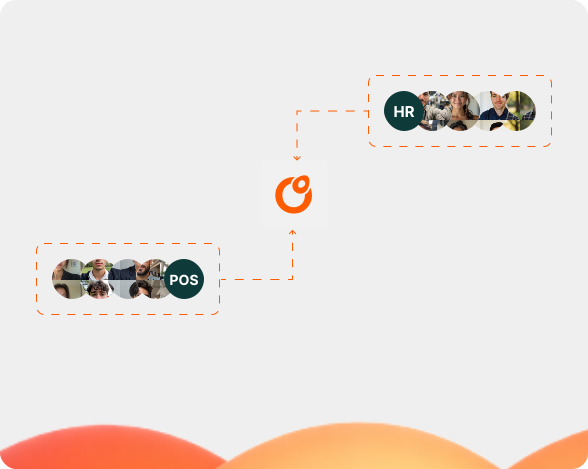
When you activate both services, the MasbyOne Sync Layer bridges the gap. No more manual data entry or disconnected systems.

Unified Onboarding
Staff added in HR are instantly available in your POS for faster onboarding.

Smart Access Control
Shift schedules published in HR automatically control when staff can access the POS.

Automated Attendance
Daily attendance from POS sessions flows directly into HR for easier payroll.

Background Integration
The integration is configured once and runs automatically in the background.
How it works
Getting started with MasbyOne

Step 1
Create your account
Sign up to build your secure business profile. This is your central hub for managing locations and team permissions.

Step 2
Pick your tools
Subscribe to the services you need. Start with just the POS, just HR, or both—you only pay for what you use.

Step 3
Turn on the sync
If you use both services, data moves instantly between them so you never have to enter the same information twice.






Pay only for what you use.
Nothing More
POS only
For businesses focused on sales and inventory
Get Started- Sales, orders, and payments
- Real-time inventory tracking
- Floor plan and table management
- End-of-day reconciliation
- Sales reports and insights
POS + HR
For businesses that want full operational control
Get Started- Everything in POS only
- Full payroll — any cycle
- PAYE, pension, NHF, NSITF, ITF
- Plain-language payslips
- Shift scheduling and leave
- POS-HR sync features
HR only
For businesses focused on payroll and staff management
Get Started- Staff profiles and records
- Full payroll — any cycle
- PAYE, pension, NHF, NSITIF, ITF
- Plain-language payslips
- Shift scheduling and leave
Frequently Asked Questions
Can I subscribe to just one module?
Yes. You can start with just POS or just HR and add the other module whenever you're ready.
What happens if my subscription lapses?
Your data is retained securely. You can reactivate at any time to regain full access.
Can different staff members have different levels of access?
Yes. Dongle ships with three default roles — Business Owner, Manager, and Staff — each with defined permissions per module and feature. You can also create fully custom roles with specific permission sets. Every user sees and accesses only what their role permits.
Is Dongle available on mobile?
Yes, MasbyOne POS works on mobile devices so you can sell from anywhere.
What happens if I cancel?
You can cancel anytime. Your data remains available for export for 30 days after cancellation.